Result Post Processing
Result Post Processing works on a run directory on the cluster. It has four tabs:
| Tab | Use it to |
|---|---|
| Acdtool | Compute RF quantities (R/Q, kick factors, field maps, multipoles, surface fields) with acdtool postprocess rf. |
| Field Viewer | Draw the fields of .mod files, or a mesh, in 3-D. |
| Data Explorer | Browse the run directory, read logs, and plot any column-formatted result file. |
| Workflow Sweeps | Plot one quantity across all evaluations of a LUME-ACE3P study. |
Source bar
The bar under the tabs selects what to work on. It is shared by all tabs.
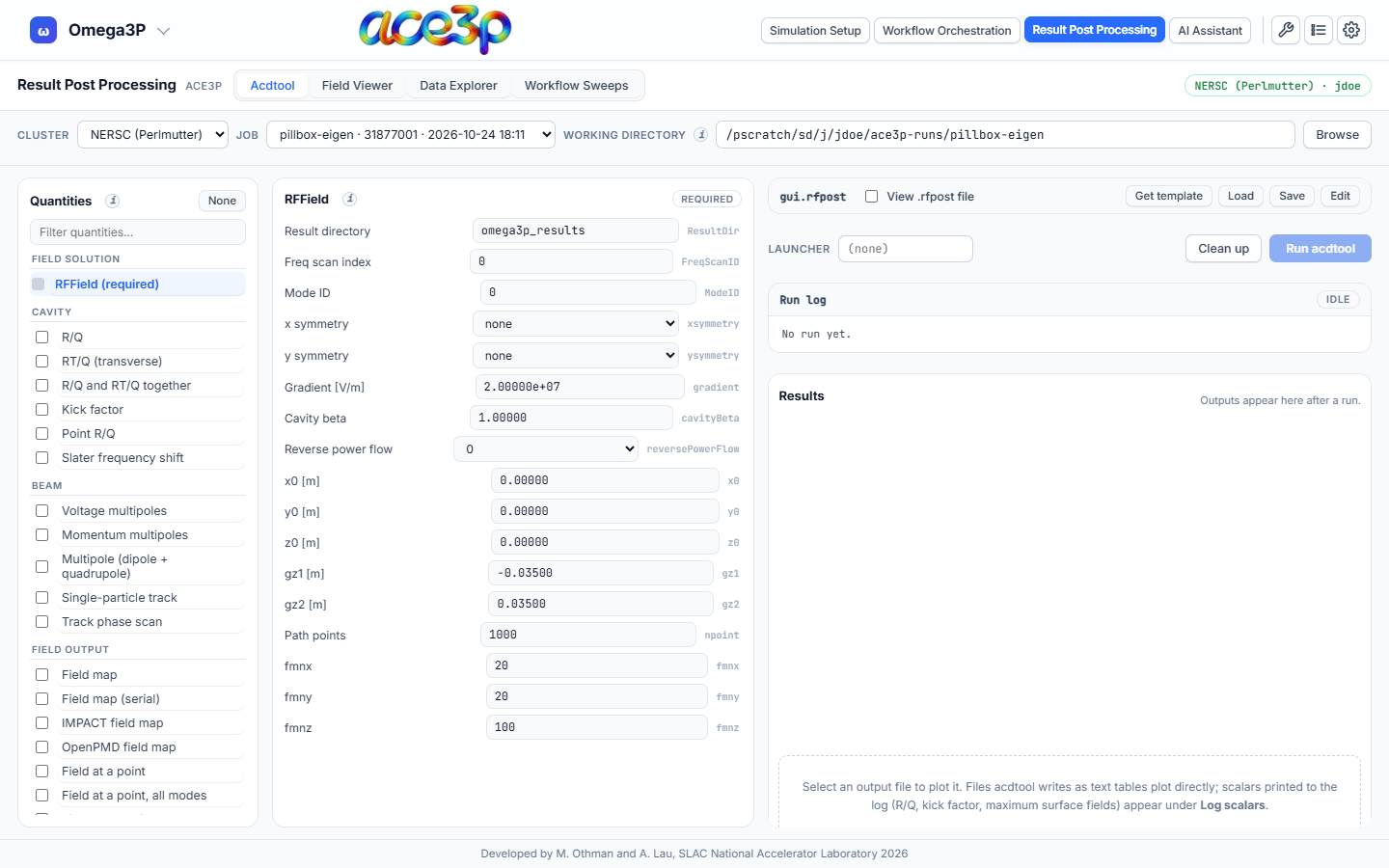
| Control | Effect |
|---|---|
| Cluster | The cluster session to use. You must be signed in to it. |
| Job | A job from the Jobs dashboard. Picking one fills the working directory with its run directory. |
| Working directory | The folder to work in. Type a path and press Enter, or press Browse. |
After a submission, this view opens on that job's run directory. A path you change by hand is kept.
The header shows which cluster and user the view is connected to.
Requirements
- A cluster session (see Sign in to a cluster). The Field Viewer can also open files from your own computer without one.
- The app must be opened from its own server (the normal case). The view does not load from a copy of the page opened as a file.