Choose a solver
Click the solver name at the top left of the header to open the solver menu. Picking a solver opens its editor. Each solver keeps its own form, so switching from Omega3P to S3P and back does not lose either form.
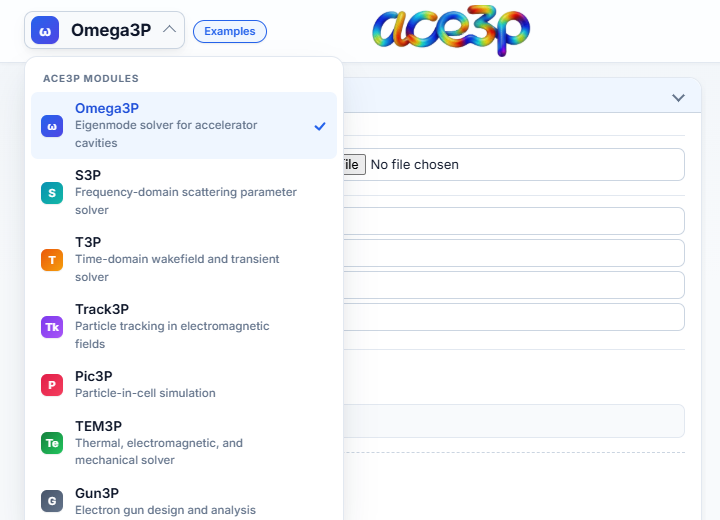
| Solver | Purpose | Containers in the form | Input file | Workflow step |
|---|---|---|---|---|
| Omega3P | Eigenmodes of cavities | ModelInfo, FiniteElement, PRegion, EigenSolver, Port, PostProcess | input.omega3p |
Yes |
| S3P | Frequency-domain S-parameters | ModelInfo, FiniteElement, FrequencyScan, Port, Loading, LinearSolver, PostProcess | input.s3p |
Yes |
| T3P | Time-domain wakefields and transients | ModelInfo, FiniteElement, PRegion, LoadingInfo, Loading, TimeStepping, Monitor, LinearSolver, CheckPoint | input.t3p |
Yes |
| Track3P | Particle tracking in computed fields | Domain, FieldScales, NormalizedField, TotalTime, ParticlesTrajectories, Emitter, Material, Output, Postprocess | input.track3p |
Yes |
| Pic3P | Particle-in-cell | ModelInfo, FiniteElement, PRegion, Loading, TimeStepping, Monitor, LinearSolver, CheckPoint | input.pic3p |
No |
| TEM3P | Thermal and mechanical analysis | ThermoElasticProblem, ThermostaticProblem, ElasticProblem | input.tem3p |
No |
| Gun3P | Electron guns | DCGunProblem, ElectrostaticProblem, MagnetostaticProblem, Tracker | input.gun3p |
No |
"Workflow step" means the solver can be a step of a LUME-ACE3P study in Workflow Orchestration.
Common rules for every solver
- The input file is always named
input.<solver>. Save, Load, the batch script and the upload all use this name. - Every solver except Track3P needs a mesh before Run Simulation turns green. Track3P reads the fields of an earlier run instead.
- Fields marked with a red * are required. A red dot on a container heading means a required field inside is empty.
- An empty field is not written to the input file. The solver then uses its own default, shown as the grey placeholder text.
- Repeatable containers (Material, Port, PRegion, Monitor, Emitter, …) have an + Add button. Each added block has its own Remove button.
- ADVANCED sections inside a container hold the less common parameters. They are collapsed by default.