Workflow Sweeps
Workflow Sweeps plots one result across every evaluation of a LUME-ACE3P study submitted from Workflow Orchestration.
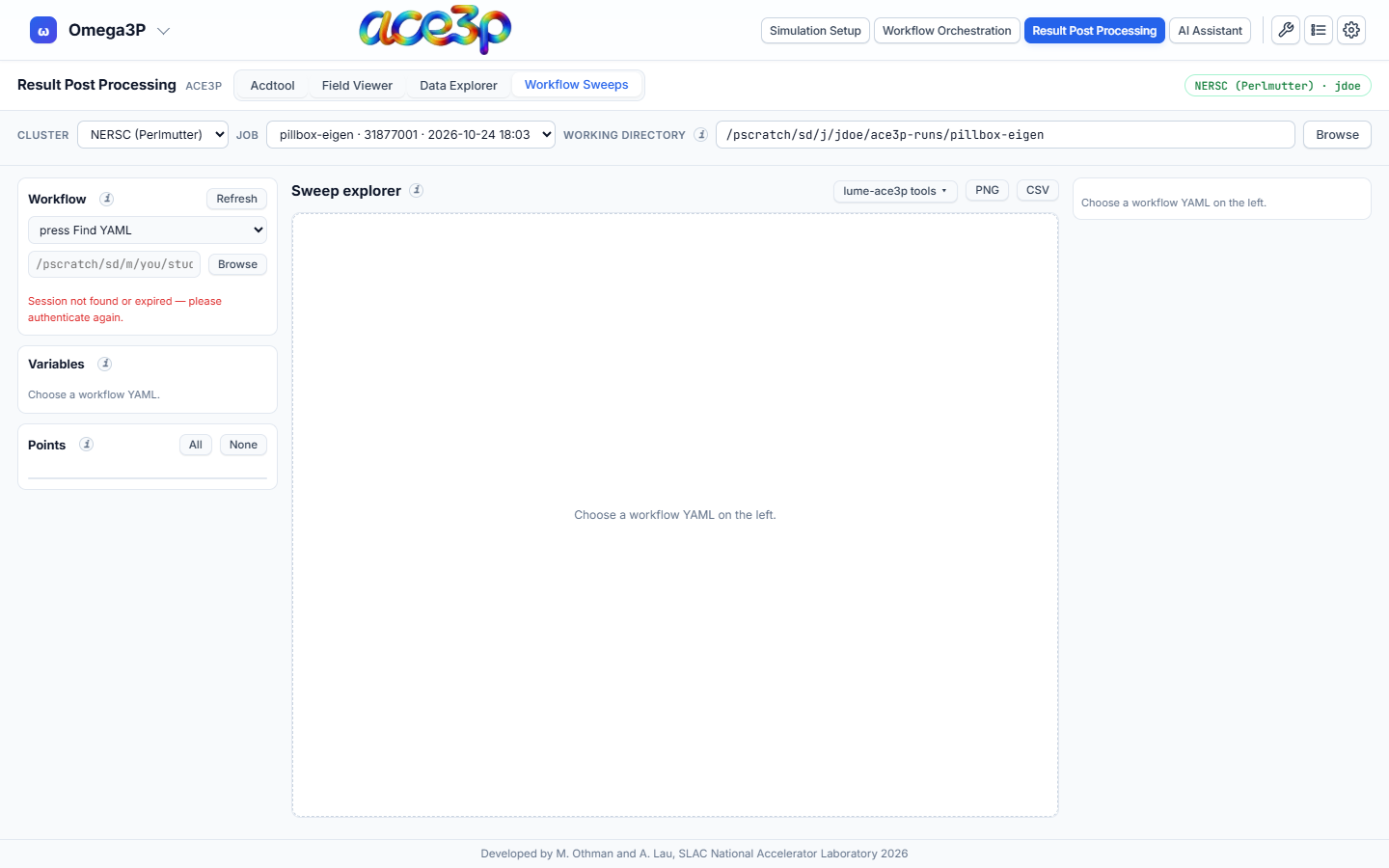
Load a study
- Set the working directory in the source bar to the study's run directory.
- In Workflow, pick the study's YAML file from the list, or type its absolute path and press Enter, or press Browse. When the working directory holds exactly one YAML, it is loaded automatically.
- Variables lists every input of the study. Swept inputs are marked; for an optimization the bounds are shown.
- Points lists one row per evaluation folder with its input values. Untick a point to leave it out of the plots. All and None select every point or none.
The input values of each point are read from that point's own journal and input file. A point whose files disagree with the value LUME-ACE3P recorded is marked ≠.
Refresh lists the directory again and re-reads the study, for example while it is still running.
Sweep explorer
- Result file: choose a file by its path inside a point folder, for
example
s3p_results/Reflection.outoromega3p_results/omega3p.out. - Press Load. The file is read from every selected point.
- Choose the X and Y columns, or a scalar.
- Choose the plot type:
| Plot type | Shows |
|---|---|
| Curves | One curve per point, on top of each other. Colour by a parameter (with a colour bar) or by point. A slider highlights one point. |
| Colour map vs one parameter | The X column against one swept parameter, coloured by Y. |
| Colour map over two parameters | Two swept parameters, coloured by a number taken from each curve. |
| Quantity vs parameter | A number from each curve against one parameter, one line per value of a second parameter. |
For the last two types, each curve is reduced to one number: the value at a given X, maximum, minimum, mean, first, last, X at maximum, or X at minimum.
Every other swept parameter gets a slider that holds it at one value. Optional 3-D surface, log Y, log colour and six colour maps are available. Export the plot with PNG and the plotted data with CSV.
Plot styling
The right-hand column sets the Title, X label, Y label, Colour bar label, Log X, Log Y and Legend. Series lists every curve with visibility, colour, symbol, line style and legend name. Reset style returns to the automatic labels and colours.
lume-ace3p tools
The lume-ace3p tools ▾ menu opens in-browser versions of the plotting scripts that ship with LUME-ACE3P:
| Tool | Original script |
|---|---|
| S3P parameter-sweep viewer | s3p_sweep_plot.py |
| S3P optimization viewer | s3p_xopt_plot.py |
| Optimization iterations (static) | xopt_plot_still.py |
| Parameter-space exploration | xopt_param_sweep_plot.py |
Each tool reads the same text tables as the original script. Load scripts from this computer… in the same menu opens your copies of these scripts and picks the matching tool. Script shows the loaded script's source. The menu also returns to the Sweep explorer.
Limits
- At most 2000 files and 96 MB are read per load; the tab asks before reading more than about 64 MB.
- A table longer than 20 000 rows is thinned to evenly spaced rows.
- Large particle dumps (runs of thousands of numbered files) are listed as one series and are not offered for loading.