Field Viewer
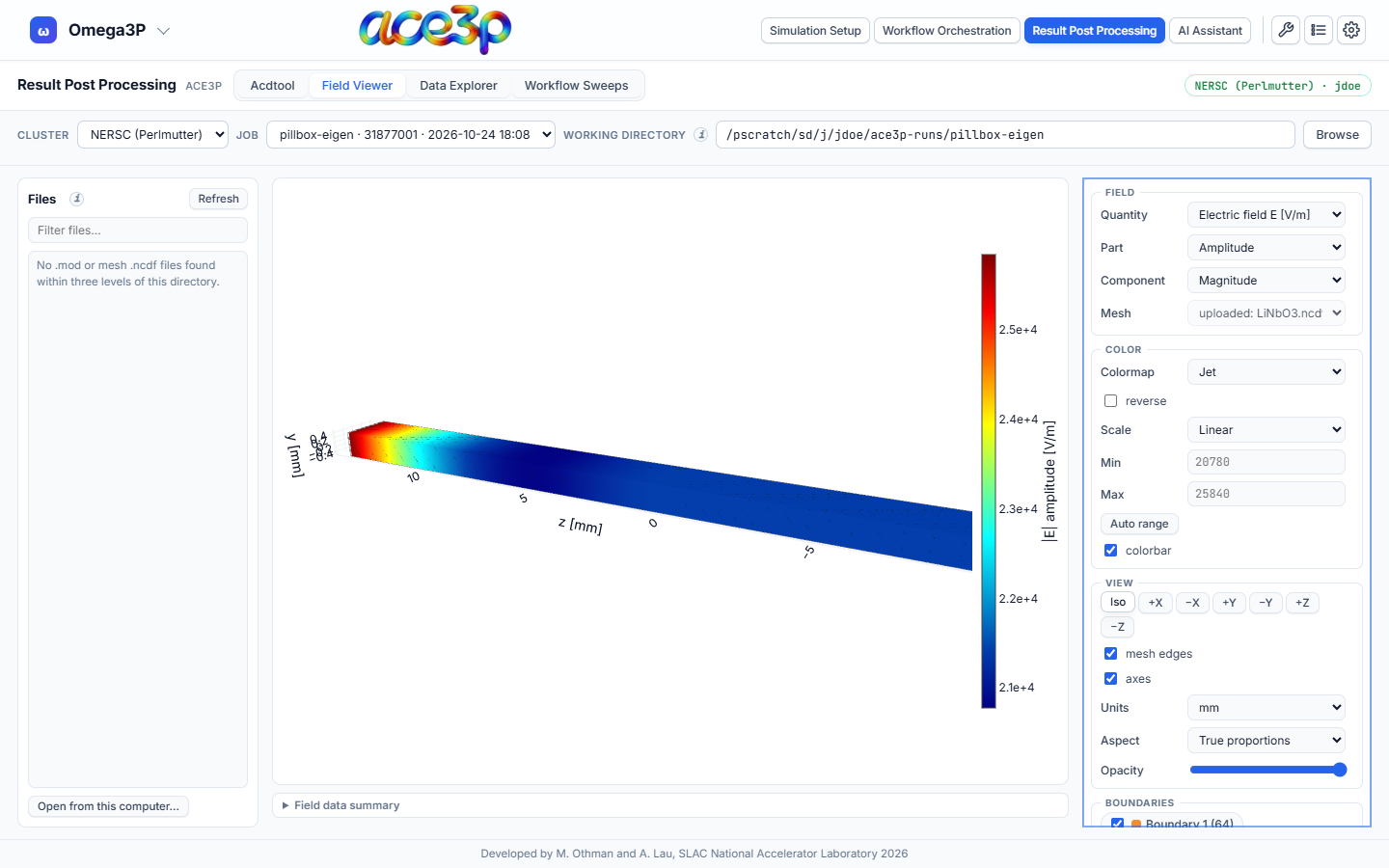
The Field Viewer draws a field file (.mod) as a coloured surface on its
mesh, or a mesh (.ncdf) coloured by boundary id, in 3-D in the browser. No
ParaView is needed.
Open a file
From the cluster:
- Set the working directory in the source bar to the run directory.
- Press Refresh in the Files card. The card lists the
.modand mesh.ncdffiles up to three folders deep. - Click a file.
For a .mod, the mesh is found automatically: the nearest .ncdf in the same
folder, the parent folder, or the working directory, with the same node count.
The Mesh menu shows which mesh is used and lets you pick another.
From your computer (no sign-in needed):
- Press Open from this computer… at the bottom of the Files card.
- Select a
.modand its mesh.ncdftogether, or only one of them.
A .mod opened without a mesh is drawn on its own wall triangles only.
Real-valued fields (T3P snapshots, Gun3P static fields) need the mesh.
Controls
Field
| Control | Options |
|---|---|
| Quantity | Electric field E, magnetic field B, power density, or the fields the file holds |
| Part | Amplitude, real, imaginary, or phase snapshot (with a phase slider) |
| Component | Magnitude, x, y, z |
| Mesh | The mesh the field is drawn on |
Color
| Control | Effect |
|---|---|
| Colormap, reverse | Colour scale |
| Scale | Linear, log, or symmetric about zero |
| Min, Max | Fix the colour range. Auto range resets it. |
| colorbar | Show or hide the colour bar |
View
| Control | Effect |
|---|---|
| Iso, ±X, ±Y, ±Z | Camera presets |
| mesh edges | Draw the element edges |
| axes | Show the axes |
| Units | Length unit of the axes |
| Aspect | True proportions, Cube (stretch every axis to the same length) or Custom |
| Opacity | Surface transparency |
Boundaries lists every boundary id with a checkbox to show or hide it.
Field data summary under the plot lists the file name, frequency or time, Q, losses, stored energy, node and face counts, and the extent of the model.
Changing quantity, part, colour or view does not reload the file. The camera stays where you put it until you open another file.
Limits
Each file is limited to 400 MB. A damaged or foreign file is reported with a message instead of being drawn.